Wired Network Configuration on Donyx Routers
Wired network parameters are configured in the /network/bridge section.
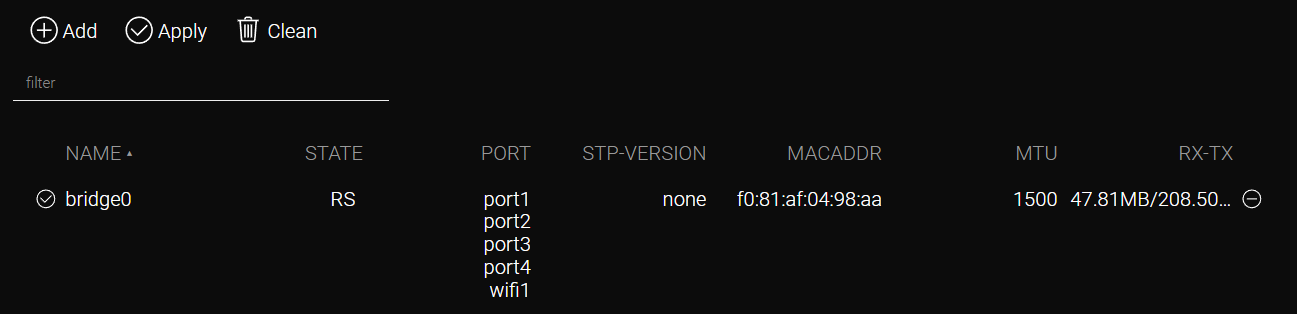
A bridge is a virtual Layer 2 (L2) network device that integrates physical or logical interfaces into a single network segment.
The bridge operates as a virtual switch, aggregating multiple physical interfaces (configurable in /network/ethernet) or logical network interfaces (configurable in /network/device, /wireless/network, or /tunnel). By default, all device ports are grouped into bridge0.
Basic Parameters
-
Disabled — Disables the bridge.
-
MAC — Assigns a MAC address. If not specified, the address is generated automatically.
-
Port — Configures the list of interfaces aggregated within the bridge.
Configuration Example
Objective:
To integrate devices connected to port2 and port4 into a single network segment.
Procedure:
-
Release the ports:
-
Navigate to /network/bridge/bridge0.
-
Remove port2 and port4 from the list by clicking the minus (-) button.
-
Apply the settings by clicking Apply.
-
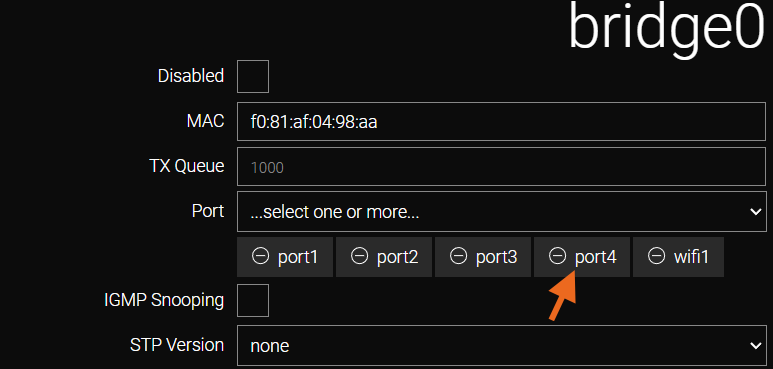
| Do not remove the port used to connect the router to the PC. This will result in loss of access to the device. |
-
Create a new bridge:
-
Navigate to the /network/bridge section.
-
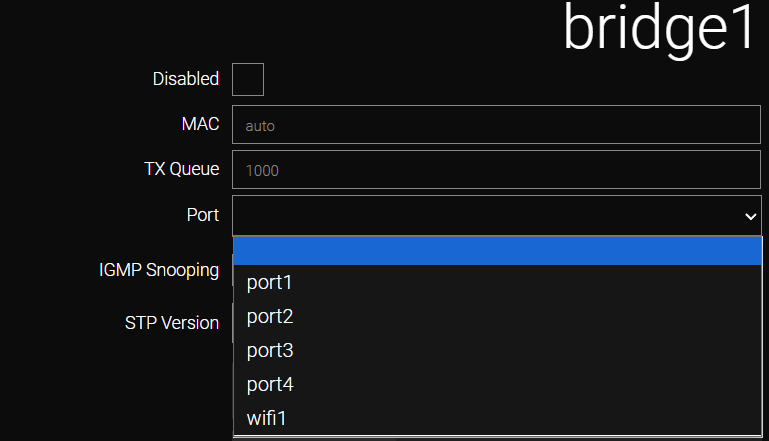
Click Add to create a new bridge and specify a name (e.g., bridge1). Permitted characters include letters (A-Z, a-z), digits (0-9), and underscores (_).

-
Add the required interfaces from the Port dropdown menu (in this example: port2, port4).
-
Apply the settings by clicking Apply.
-
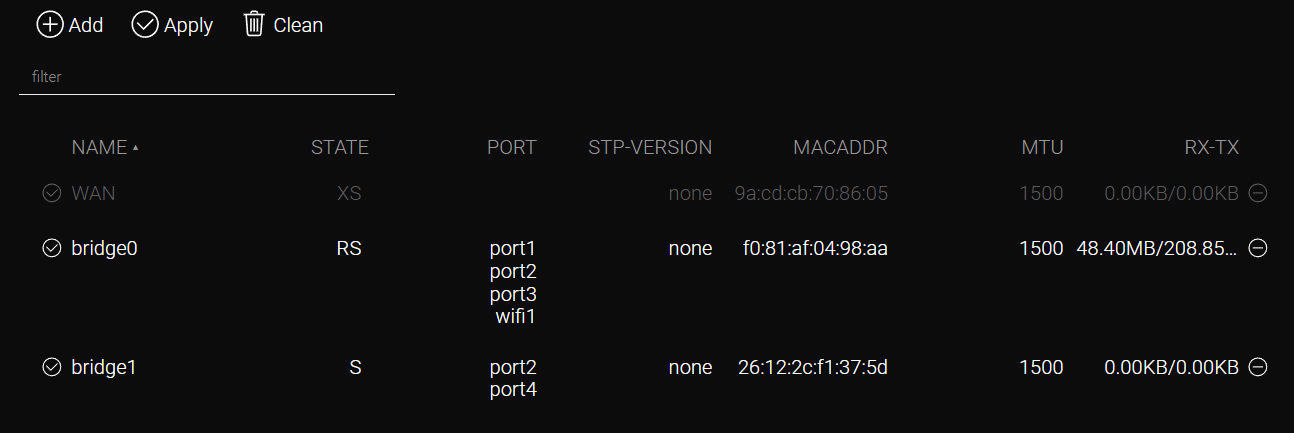
Both virtual network devices and their respective parameters are now displayed on the /network/bridge page.
-
Assign an IP address:
-
Navigate to /ip/interface.
-
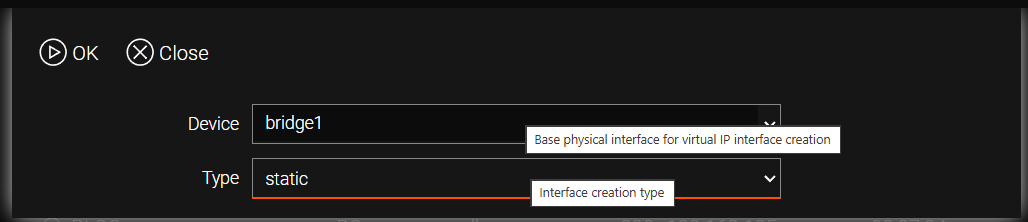
Click Add and select bridge1 from the list (created in step 2).
-
Specify the type as static.
-
Go to the newly created interface at /ip/interface/bridge1.
-
Enter the IP address (e.g., 192.168.2.1/24).
-
Apply the settings by clicking Apply.
-

Both virtual network devices and their respective parameters are now displayed on the /ip/interface page.

CLI Configuration
Removing ports from bridge0.
admin@Router[/]>network bridge bridge0
admin@Router[/network bridge bridge0]>port -port2 -port4
admin@Router[/network bridge bridge0]>..
admin@Router[/network bridge bridge0]>apply
Creating a new bridge and adding ports.
admin@Router[/network bridge]>add name=bridge1
admin@Router[/network bridge bridge1]>port port2 port4
admin@Router[/network bridge bridge1]>apply
Creating an interface in /ip/interface and assigning an IP address.
admin@Router[/]>/ip interface add device=bridge1 type=static
admin@Router[/ip interface bridge1]>ip-address 192.168.2.1/24
admin@Router[/ip interface bridge1]>apply