Mobile Network Configuration
Mobile network parameters are configured in the /mobile/modem section.
-
modem1…N — Cellular module; the number of modules depends on the router model.
-
sim1…N — SIM card located in the corresponding SIM slot.
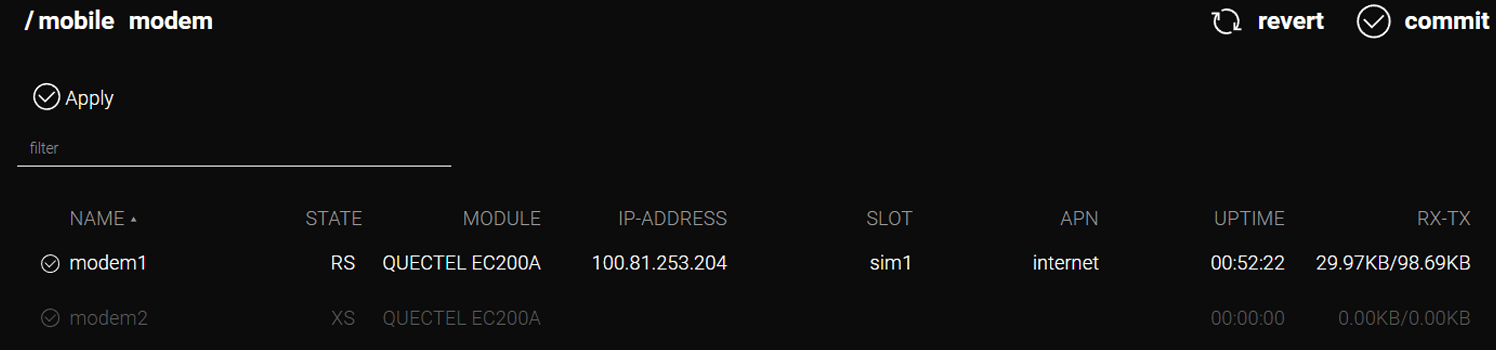
The mobile network functions with default settings once the SIM cards are installed.
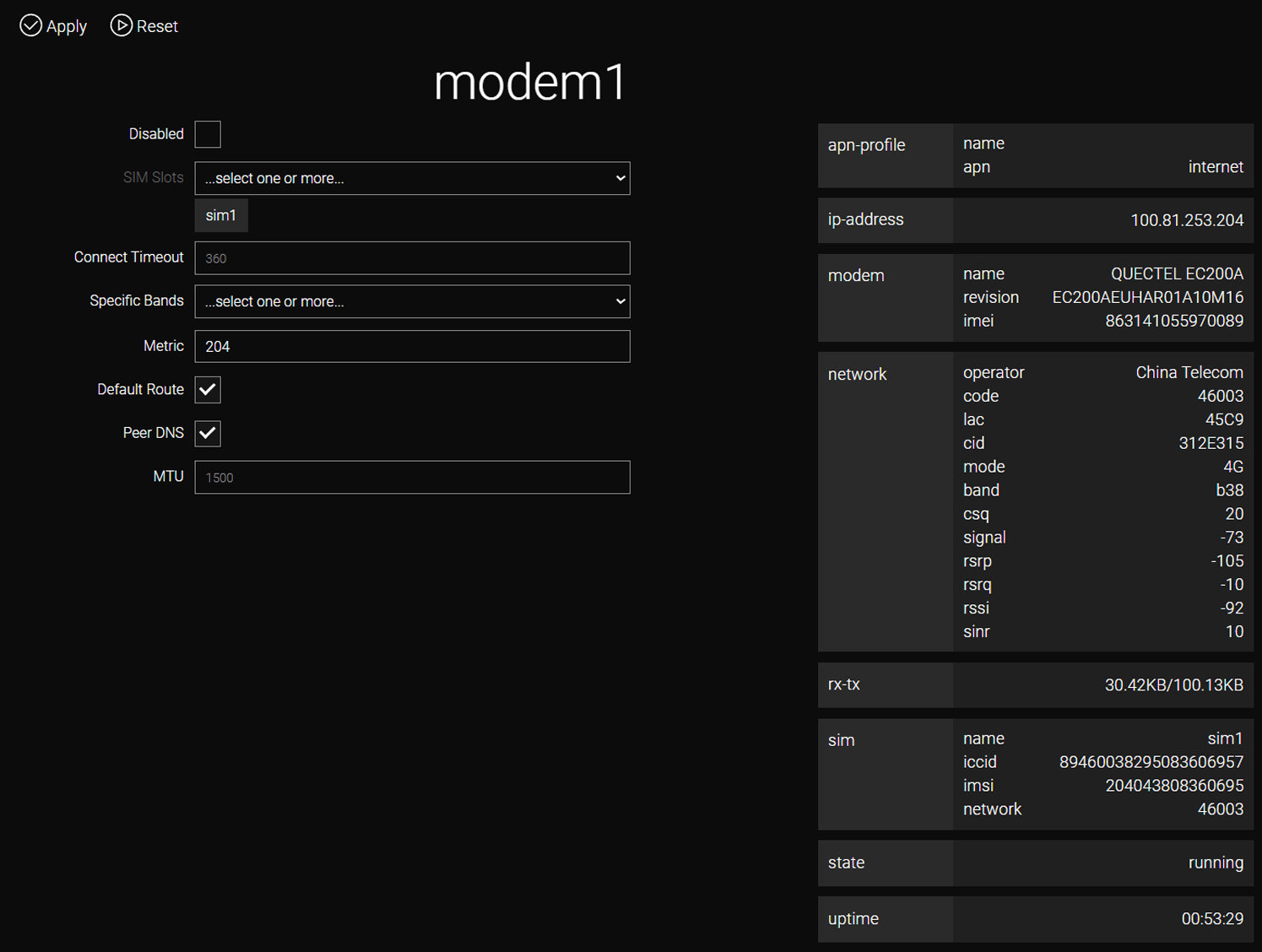
Current connection status is displayed on the device’s dashboard.
Basic Parameters
-
Disabled — Disables the modem.
-
Default Route — Uses the cellular connection as the default route.
-
Metric — A numerical value determining route priority (lower values are preferred). A metric must be specified for the Default Route to function. To prevent routing conflicts, the metric value must be unique for each interface.
-
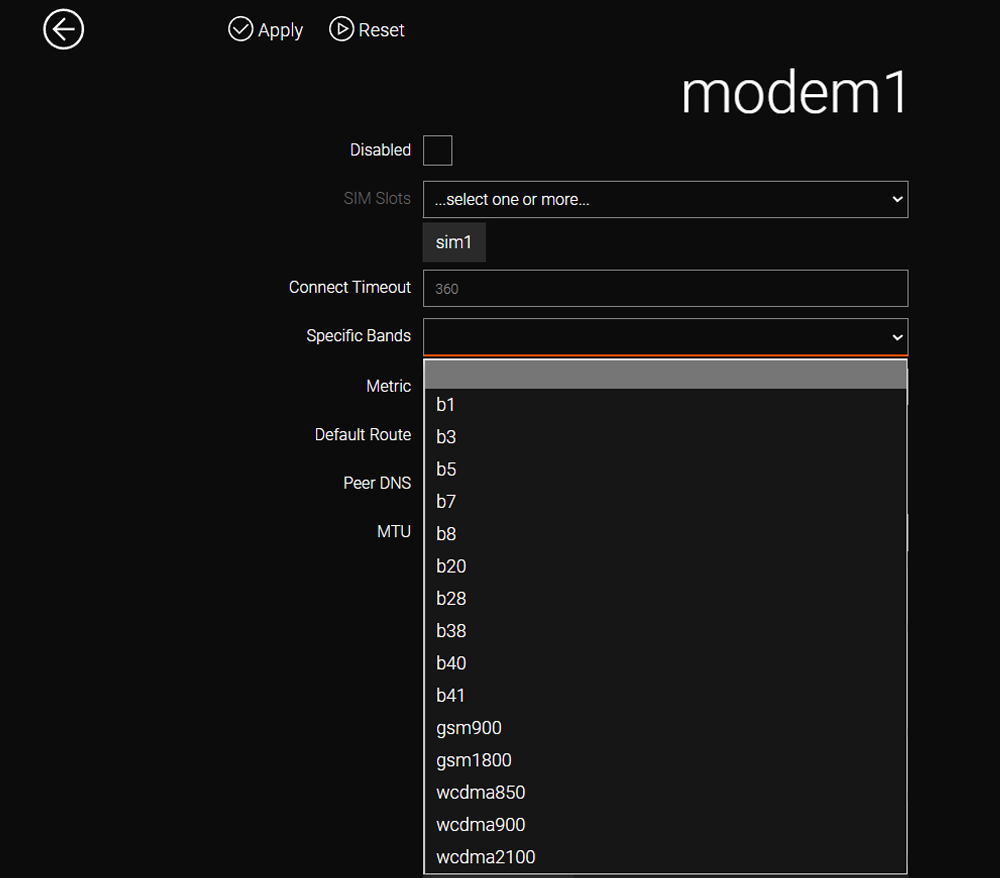
Specific Bands — Selection of frequency bands. If the cellular module supports band selection, the Specific Bands field and the list of available bands are displayed in the web interface. The following notation is used: b<x> — 4G, wcdma<x> — 3G, gsm<x> — 2G (not supported by all modules).
CLI Configuration
Execution of the [TAB] command displays the default parameter values.
Default Modem Settings
admin@Router[/]>mobile modem modem1
admin@Router[/mobile modem modem1]>[TAB]
  defaultroute                   true
  disabled                       false
  metric                         204
  modem-band
  modem-connect-timeout          360
  modem-sim-slot                 sim1
  mtu                            1500
  peerdns                        true
  protocol                       auto
Band Selection
admin@Router[/mobile modem modem1]>modem-band
b1
b3
b7
b8
b20
b28
b38
b40
b41
gsm900
gsm1800
gsm1900
wcdma900
wcdma2100
admin@Router[/mobile modem modem1]> modem-band b1 b20 b28 b3 b8| All modifications are permanently saved to the router configuration only after executing the /system config commit command or clicking the commit button in the web interface. |