SSH Public Key Authorization on Donyx Routers
The use of SSH authorization via public keys is generally considered a more secure method than password-based authentication.
A single key can be utilized for authorization (including non-interactive access) across an unlimited number of devices. However, any factory reset operation will require the key to be re-installed on the router.
The following procedure describes the configuration of this authorization method for the dnxOS platform.
Initially, a private and public key pair must be generated. The Linux command line is used in this example.
Execute the following command:
ssh-keygen -t ecdsa -C "your_email@example.com"The key location must be specified during generation. By default, the ecdsa algorithm uses the ~/.ssh/ directory (e.g., /home/username/.ssh/id_ecdsa). Alternative directories and filenames may be used if required.
The next step involves specifying an optional passphrase for enhanced security. After this, the keys are generated and saved.
In this example, the files id_ecdsa (private key) and id_ecdsa.pub (public key) are created in the ~/.ssh/ directory (which is a shortcut for /home/username/.ssh/).
The public key file is uploaded to the Donyx router using the following command:
scp ~/.ssh/id_ecdsa.pub admin@192.168.12.1:In this command, 192.168.12.1 represents the default internal IP address of the Donyx router.
Establish an SSH connection to the router:
ssh admin@192.168.12.1If the key is being configured for the built-in admin user, the following commands are applied:
/system user admin import-ssh-key file=id_ecdsa.pub
/system user admin apply
/system config commit
Otherwise, a new user must be created and the appropriate access level assigned before importing the key. For example, to create a user named username with administrator privileges:
/system user add name=username
/system user username level administrator
After creating the user, the key is imported using the same procedure as described above for the specific account.
To terminate the session, the exit command is used. To verify the configuration, establish the connection again:
ssh admin@192.168.12.1If a passphrase was specified during key generation, a prompt will appear for authentication. Otherwise, the dnxOS console becomes available immediately.
| If the workstation is changed, the private key file will be unavailable. Password authentication remains enabled as a fallback access method and cannot be disabled. |
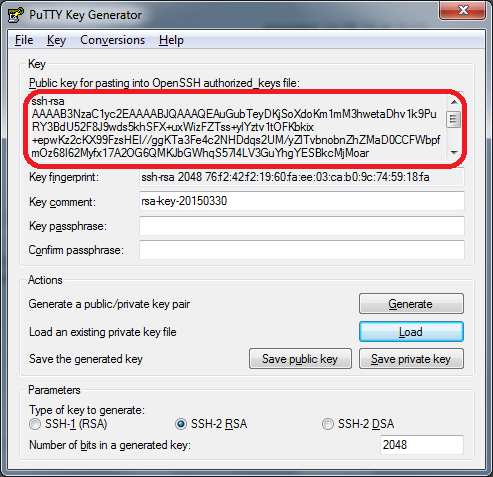
Keys may be generated and saved using the PuTTYgen utility. However, the router requires the public key in OpenSSH format. The key text must be copied and manually saved into a text file with a .pub extension before being uploaded to the device.